Pages

Search This Blog

Showing posts with label vocals. Show all posts

11.27.2012

Primacoustic Voxguard Bonus!

Great news from Radial Engineering! Every Primacoustic VoxGuard Vocal Isolator now includes a free set of TriPad Mic Stand Isolators.
Buy VoxGuard in the Revolution Audio online store.

4.14.2011

Vocal Processing And Mixing Tips

Vocal Processing And Mixing Tips
Last time we shared some tips for recording great vocals, now lets get them sitting right with the rest of the track.

Cleanup - Before anything, clean up the vocal tracks. Go through and trim the silence around each phrase. Remove any noise, thumps, clicks, pops and gasps. Fade in or out on each edit.

Pitch Correction - Gentle pitch correction with software like Melodyne is a big part in getting that professional sounding vocal we all strive for in our home studio productions. Be careful with this! Doing it right takes time and practice. Over tuned vocals are about as bad as out of tune vocals (you can hear both on American Idol).


EQ - There are no rules and every voice is different but here are some starting points. A high-pass filter (low cut) can be used to clean up the very lows (below 100Hz). 200-600Hz can be gently boosted or cut depending on the voice to add thickness or compensate for proximity. 1kHz-3kHz is usually where the clarity of the vocals is. Above that is brightness, bite, air but look out for sibilance. How much you can boost here depends on the song.

Compression - When it comes to controlling vocal dynamics, using two compressors doing less individually often yields the most transparent result. Use a compressor with fast attack and high ratio (10:1) working just on the peaks, ignoring everything else. The second compressor is set with a 4:1 ratio, a slower attack and release and threshold set so it is always compressing about 2-4dB.

Reverb - Reverb is an effect you'll want on a separate channel (aux track in Pro Tools, FX Channel in Cubase) rather than having it right on the vocal track. Use a send to add the reverb to the vocals. The reverb time should be related to the tempo of the song, it can really clutter the mix if it's not. Hall and Plate are the most common types of reverb for vocals. Shaping the reverb sound with EQ is recommended. The UAD EMT-140 plate reverb plugin is great for a classic vocal reverb sound.


Automation - Automating the volume level of the vocals is absolutely essential to getting the vocal to sit right where you want it throughout the song. Automating the reverb send for the vocal will allow you to have just the right amount at any time. You can also automate effects like chorus and delays for the vocals to keep things interesting through the song.

iZotope Nectar - A great all-in-one tool for vocal processing is iZotope Nectar. Eleven high quality effects in one plugin including EQ, Compression, Auto and Manual Pitch Correction, reverb, delay and more. Worth checking out.

4.13.2011

Pitch Correction With iZotope Nectar

iZotope Nectar is a brilliant mixing tool designed to handle all your vocal processing needs. Check out the video below for an overview of the auto and advanced pitch correction options in Nectar.


Buy iZotope Nectar in the Revolution Audio Online Store.

4.04.2011

What's your favorite Vocal microphone?

Continuing with our theme of vocal recording this month, I thought I'd ask your opinion.

What is your favorite vocal mic?

I've had great results with a variety of mics over the years but the one that stands out in my mind is the M-Audio Sputnik Tube condenser. For the money, that mic is phenomenal. It's a little dark but there's still loads of detail, and does this sort of natural compression thing when you hit it hard. It's got a lot of character that works great for rock vocals. I'd love to have for my own studio.


Of course, there isn't a mic that's perfect for every situation, for recording crisp voice-over, an AKG 414 XLII is a much better choice. The AKG D5 is a great dynamic vocal mic for stage and studio. In my own small production studio I'm using fairly low cost mics, either a Rode NT1A or Audio Technica AT3035 (replaced by AT2035), one of those mics is clearly better in a given situation and I'm happy to have the options.

One mic I'm dying to try out is the Lauten Audio Horizon Tube Condenser it's getting great reviews.

Let me know in the comments below what your favorite vocal mic is.

4.01.2011

5 tips for better vocal recordings

Last month we shared 10 tips for guitar recording, this month we will focus on Vocals.


5 tips for better vocal recordings

Try to isolate - Most home recordists can't afford the cost to construct a vocal booth, or simply don't have the space for one. The next best thing is some acoustic treatment that surrounds the mic such as the VoxGuard. These help reduce the sound of the room in the mic, getting you closer to that tight, dry vocal booth sound and quite affordably.

Always use a pop filter - A pop filter in an absolutely essential accessory for vocal recording. A pop filter doesn't look like much but they very effectively stop blasts of air from distorting the mic. For the pop filter to be effective it needs to be at least a few inches away from the mic*.

Use the right headphones - The best headphone type for vocals is circumaural** closed-back. Why? Isolation. This design blocks outside noise, and let's you listen as loud as you want without the music leaking into the mic. Semi-open heaphones can be used but watch out for sound leakage.

Choose the right mic - Set up all your mics and record a few phrases with each one***. Listen back and decide which one has the best tonal balance and least sibilance. You may be surprised that your most expensive mic isn't always the best mic for a particular song. Taking some time to experiment and choose the best of what you have is well worth it, also allows the singer to warm up a little.

Find the right distance - A vocal right up close on a mic can sound cool, it can sound good but not natural. The further away (within reason) the better the tonal balance the mic will have. 12-24 inches back from the mic is a good balance of closeness, and naturalness. The further back you are the less drastic tiny changes in angle and distance are compared to a few inches away. This helps the singer because they don't have to worry about staying in precisely the same position while singing, moving around a little is ok once you take a step or two back.

Try out these tips the next time you record vocals!

Notes
* - The technical reason is turbulence. It takes some space for the turbulence to dissipate after the air hits the filter.
** - Circumaural means around the ear
*** - This is called a shootout

12.29.2010

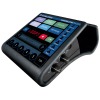
Featured Equipment: TC-Helicon VoiceLive Touch

The first vocal processor and looper at your fingertips

Combining best-selling vocal effects, VLOOP™ performance vocal looping and a uniquely addictive ‘touch’ interface, VoiceLive Touch is truly the first instrument for your voice.


See all the details of the TC-Helicon VoiceLive Touch


A revolution in performance for every singer
VoiceLive Touch is the perfect companion for any vocalist whether you sing live or record in the studio. It can easily be mounted on a mic stand or put next to your computer or keyboard. It’s there when you need it for any situation.
  • Vocal harmony & effects
  • VLOOP™ – performance vocal looping of vocals and guitar input including effects
  • Instant touch interface with bright, easy to read, scrolling display
  • Ingenious design allows mic attachment and desktop use for easy access
See all the details of the TC-Helicon VoiceLive Touch